Getting Started with Nakero: Your First AI-Powered Design
March 14, 2026
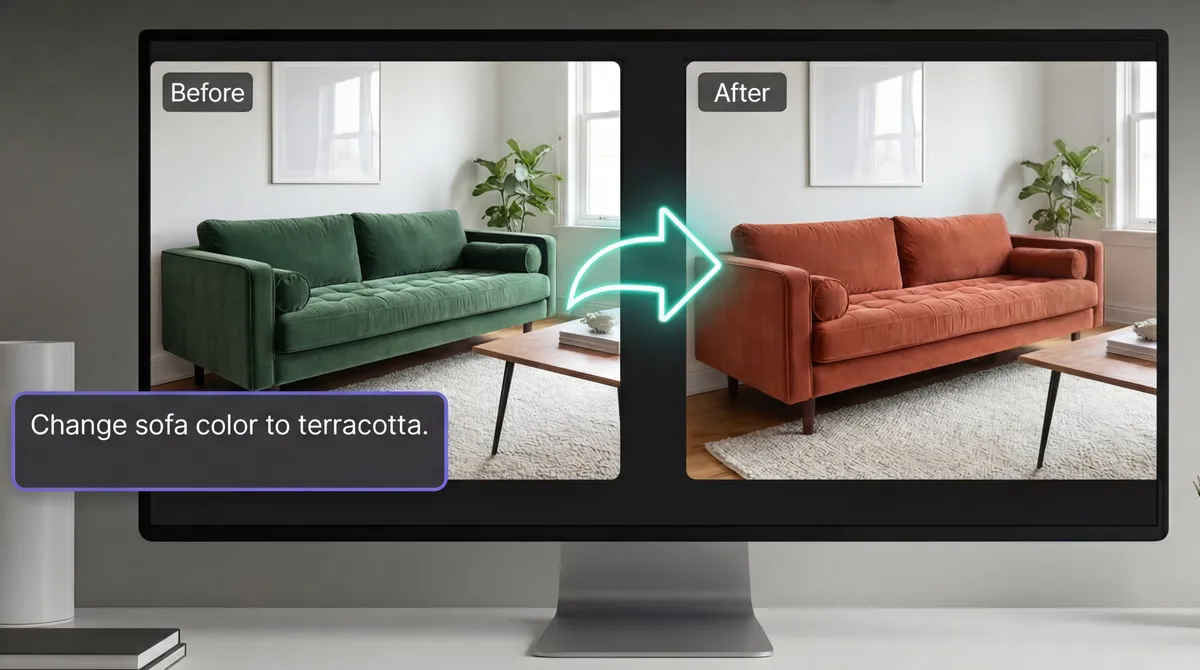
Welcome to Nakero
If you're an interior designer looking to speed up your creative process, you're in the right place. Nakero is built to be your AI-powered design companion — not a replacement for your taste, but an amplifier.
Step 1: Create Your First Project
Projects in Nakero are organized the way you think — by client, property, or room. Start by creating a new project and giving it a meaningful name.
Step 2: Choose a Design Type
Nakero offers multiple AI tools, each optimized for a different task:
- Design Ideas — Generate fresh concepts from a text description
- Edit Image — Transform an existing photo with AI
Step 3: Describe Your Vision
The more specific your description, the better the results. Instead of "modern living room," try:
Warm Scandinavian living room with oak flooring, a cream bouclé sofa, and large windows with sheer curtains. Natural light, minimalist decor.
Step 4: Generate & Iterate
Hit generate and watch the AI bring your vision to life. Not quite right? Use the chat feature to refine — ask for different colors, materials, or layouts.
Tips for Best Results
- Be specific about materials and textures
- Mention the mood you're going for
- Reference specific styles (Japandi, Art Deco, etc.)
- Use the edit tool to fine-tune generated images
Ready to try it? Start designing for free.